A negative review on your Google Business Profile can affect your reputation, your rating, and the trust of potential customers. Many business owners want to know how to remove a review from Google Business, especially when the review is fake, unfair, misleading, or harmful.
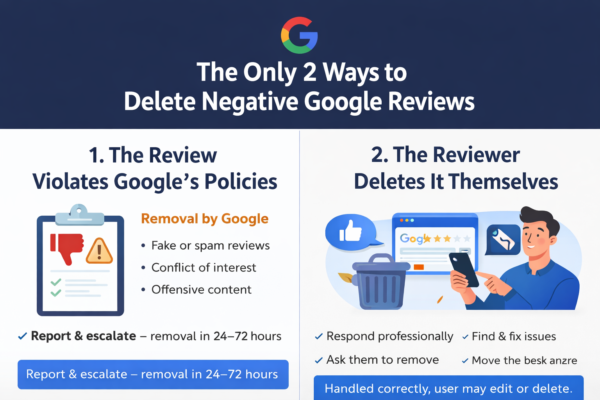
The first thing to understand is that a business owner cannot directly delete a customer review from Google. Google only removes reviews that violate its content policies. This means that a review is not removed only because it is negative. It must break Google’s rules to be eligible for removal.
Can You Remove a Review from Google Business?
Yes, you can request removal, but you cannot remove it yourself unless you are the person who wrote the review.
For business owners, the correct process is to report the review to Google. If Google finds that the review violates its policies, the review may be removed from Google Search and Google Maps.
This is why knowing how to remove a review from Google Business starts with understanding the difference between a real negative review and a policy-violating review.
When Can a Google Business Review Be Removed?
A Google Business review may be removed if it includes content that is not allowed under Google’s review policies.
A review may be eligible for removal if it contains:
- Fake or misleading information
- Spam or promotional content
- Offensive language
- Harassment or threats
- Personal information
- Content unrelated to the business
- A conflict of interest
- A review from someone who was never a real customer
- Repeated or copied content
Google’s prohibited and restricted content policies include rules against harmful, misleading, offensive, and inappropriate content on Google Maps.
How to Remove a Review from Google Business Step by Step
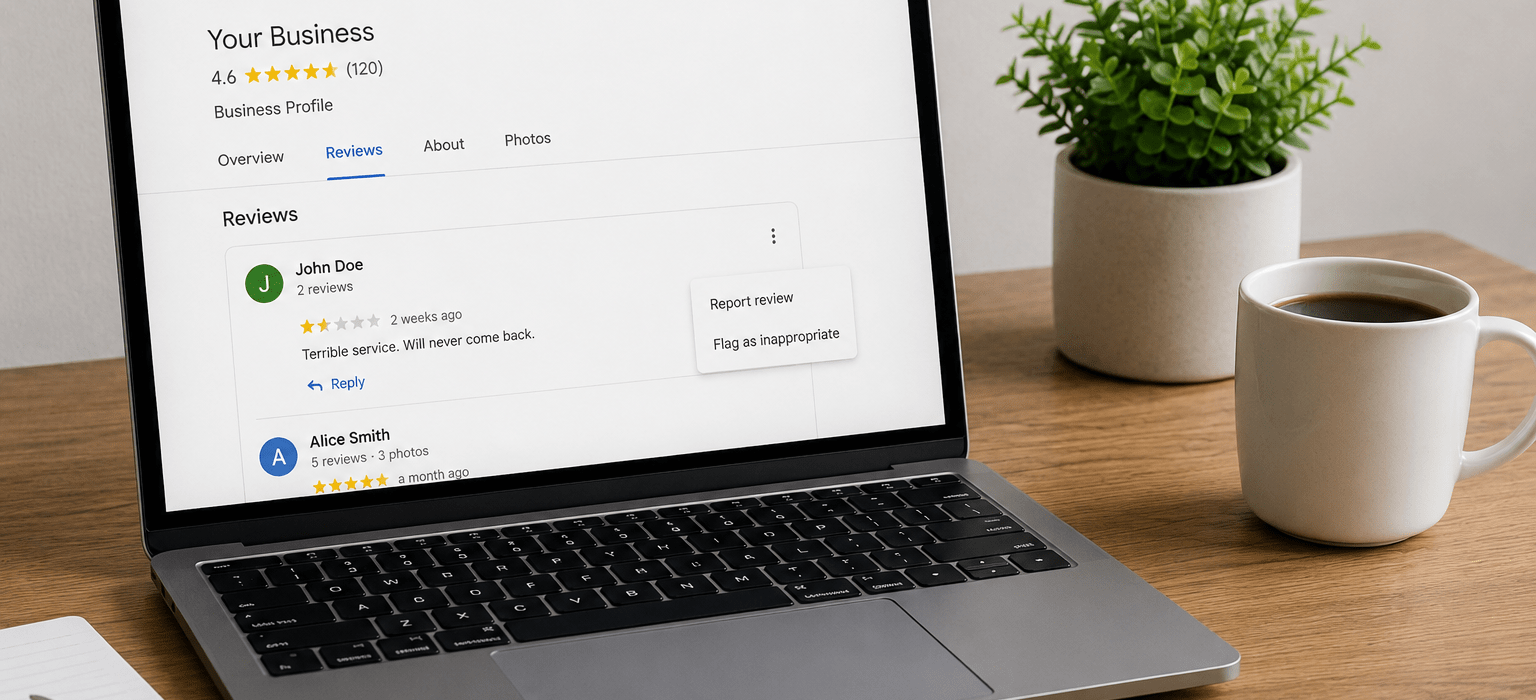
To report a review from your Google Business Profile, follow these steps:
- Sign in to the Google account connected to your business profile.
- Open your Google Business Profile.
- Go to your reviews section.
- Find the review you want to report.
- Click the three dots beside the review.
- Choose Report review.
- Select the reason that best matches the violation.
- Submit the report and wait for Google to review it.
Google also allows business owners to flag reviews they believe violate Google’s content policies.
How to Remove a Fake Review from Google Business
Fake reviews are one of the most common reasons businesses search for how to remove a review from Google Business.
Before reporting the review, collect proof that the review may be fake. This can include:
- No record of the customer in your system
- No appointment, invoice, or order under that name
- Suspicious review timing
- Similar wording used in other reviews
- Multiple bad reviews posted in a short time
- A reviewer profile with suspicious activity
When you report the review, choose the most accurate reason. Do not report every negative review as fake unless you have a real reason. Google is more likely to review a case properly when the report is clear and accurate.
What If the Review Is Negative but Real?
Not every negative review can be removed. If the review is based on a real customer experience and does not violate Google’s policies, Google may keep it online.
In this case, the best option is to reply professionally.
A good response can help protect your reputation:
Example response:
“Hello, thank you for your feedback. We are sorry to hear about your experience. Please contact our team directly so we can review the situation and help resolve the issue.”
This type of response shows other customers that your business is serious, professional, and willing to solve problems.
Can You Ask the Customer to Delete the Review?
Yes, if the review is from a real customer, you can contact the customer politely and try to resolve the issue. If the customer is satisfied, they may decide to edit or delete the review themselves.
However, you should not pressure, threaten, or pay someone to remove a review. The safest approach is to solve the problem professionally and let the customer decide.
What to Do If Google Does Not Remove the Review
Sometimes Google may refuse to remove a review. If this happens, you still have options.
You can:
- Reply professionally to the review
- Collect stronger evidence
- Report the review again if there is a clear violation
- Ask satisfied customers to leave honest reviews
- Improve your online reputation strategy
- Monitor your Google Business Profile regularly
If your business receives many real positive reviews, one negative review can become less damaging over time.
Mistakes to Avoid When Removing Google Business Reviews
When trying to learn how to remove a review from Google Business, avoid these common mistakes:
- Do not buy fake positive reviews
- Do not threaten the reviewer
- Do not reply with anger
- Do not report reviews without a valid reason
- Do not create fake accounts to defend your business
- Do not trust anyone who guarantees review removal
No one can honestly guarantee that every Google review will be removed. The review must violate Google’s policies.
Need Help Removing a Review from Google Business?
At Remove Review, we help businesses analyze harmful Google reviews and identify whether they may violate Google’s policies.
Our service can help with:
- Fake review analysis
- Google Business review removal requests
- Review documentation
- Policy violation checks
- Reputation management support
- Professional review reporting strategy
If you want to know how to remove a review from Google Business, our team can review your case and guide you through the correct process.
Final Thoughts
Removing a review from Google Business is possible, but only when the review violates Google’s policies. Business owners cannot directly delete customer reviews, but they can report fake, harmful, misleading, or inappropriate reviews.
The best approach is to document the issue, report the review correctly, respond professionally, and build a stronger online reputation over time.
If your business is dealing with fake or harmful reviews, Remove Review can help you take the right steps.