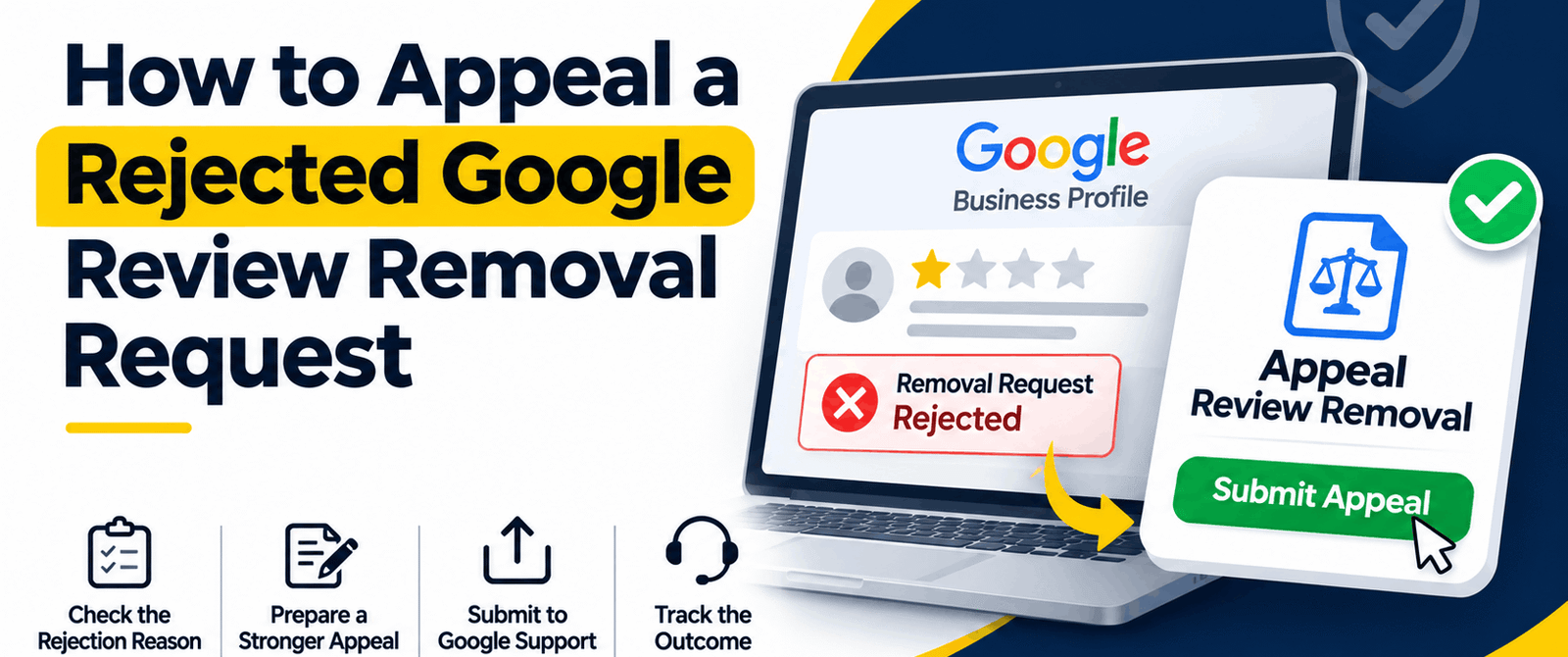
If your Google review removal request gets rejected, it does not mean that the review will stay on your business profile. You can still appeal through Google’s support process. The key is to present clear evidence and show exactly which policy the review violates.
Key Takeaways
- A rejected removal request does not mean that the review cannot be reviewed.
- Most appeals fail due to lack of clear evidence or because it’s reported under the wrong policy violation category.
- The Google review appeal process requires contacting Google Business Profile support with proper documentation.
- You need different types of evidence to report different policy violations.
- Professional help makes it easier to manage complicated or repeated appeals.
Imagine this. You have flagged a review, but Google decided that it didn’t violate its policies. So now, the review is sitting there on your business profile, and you are not sure what to do next.
This is something that happens quite often. In many cases, the problem isn’t that the review complies with Google’s platform rules. It’s that in the initial report, you did not provide enough information or explanation for Google to understand the issue.
Remember that if you just select a reason from a dropdown, it will not always be enough. You will have to show what went wrong and support your claim with proper evidence. In this article, you will learn how to handle a Google review removal appeal, which can improve your chances of getting a review removed after an initial rejection.
Why Does Google Reject Review Removal Requests?
Before you appeal, try to understand why your first request may have failed. Some common reasons behind a rejected review removal request are as follows:
Insufficient Information
A lot of businesses choose a violation category but either leave the explanation box empty or just write one sentence. Now, without proper details, Google may not have enough information to act.
Incorrect Violation Category
What would happen if a review is about a conflict of interest but you report it as spam? Google may assess it against the wrong policy. This is why it’s so important to always choose the category that matches the actual violation.
No Proof of Fake Review
If you claim that a reviewer was never your customer, you must also present evidence to support your claim. Without proper evidence, Google may not find enough reason to remove a review.
No Rule Broken by the Reviewer
A review doesn’t automatically become a platform policy violation just because it’s negative or unfair to your business. If the review reflects a genuine customer experience, Google may leave it on your profile even if you don’t agree with what it says.
Steps to Appeal a Rejected Google Review Removal Request
Here are the steps to appeal a rejected request for Google review removal.
Step 1 – Check If the Review Qualifies for Removal
Before you appeal a rejected Google review removal, make sure that the review actually breaks at least one of Google’s platform policies. Reviews that may qualify for removal include the following:
- Fake Reviews: Posted by people who were never your customer or never had a genuine experience with your business.
- Conflict of Interest: Reviews posted by competitors, resentful current employees or former employees, or people with an underlying personal or financial interest.
- Off-Topic Content: Reviews discussing another business or something not related to customer experience.
- Prohibited Content: Hate speech, explicit material, threats, or personal attacks.
- Spam: Duplicate reviews or content posted through automated or other suspicious means.
If the review falls into one of the above-mentioned categories, then you will have grounds to appeal. However, if the review is simply based on a genuine negative experience or a misunderstanding, you should write a professional response instead.
Step 2 – Collect Evidence Before Appealing
Google documentation can make a big difference to your appeal. Before you contact Google, put together the following:
Screenshots of the Review
Save screenshots of the review and the reviewer’s profile. Make sure that visible details like account history and other reviews are also captured.
Customer Record
If you believe that the reviewer was never your customer, then check your booking records, invoices, appointment logs, and transaction history first. These records can help you show that no matching customer interaction ever happened.
Proof of Conflict of Interest
Is the reviewer a former employee or competitor? Then you should collect relevant employment records or other verifiable information that shows the connection.
Evidence of Coordinated Reviews
If you see several suspicious reviews appearing around the same time, then document their posting dates, content similarity, and account patterns. You should also try to find any social media posts encouraging people to attack your business with fake negative reviews.
Step 3 – Contact Google Business Profile Support
If flagging a review didn’t work, then don’t report it again. You should contact Google Business Profile support instead.
Log in to your profile first, and then open the support section. Next, you have to submit a case explaining that you want to appeal the rejected removal request. Just make sure that you do the following:
- Mention the exact platform policy that the review is violating.
- Explain why you think the review is suspicious or inappropriate.
- Attach screenshots, customer records, and other supporting evidence.
- Show how the evidence you have presented supports your claim.
You should try to keep your explanation short and clear. Remember that a clear explanation will help Google’s team understand your Google review appeal process better, thereby helping them fairly decide whether further investigation is needed.
Step 4 – Consider a Legal Removal Request
Does the review contain potentially defamatory statements? Then you can consider Google’s separate legal removal process, available through its legal help portal. In general, this applies mainly when facts are falsely stated. It doesn’t apply to personal opinions.
For example, if you get a specific, provably false claim that’s damaging the reputation of your business, then exploring legal options is justified. But consider getting legal advice before submitting a removal request if you think a review is defamatory. Just calling a review offensive or unfair isn’t enough.
Step 5 – Follow Up and Keep Records
Google’s review process can take several days or even weeks, especially if further investigation is needed. But if you don’t receive any response within five to seven business days, consider following up using your original case number.
You should maintain copies of reports, rejection notices, support conversations, and follow-ups. These records will be useful if you plan to escalate the matter or seek professional help.
Don’t Let a Rejected Appeal Be the Final Word
A rejected Google review removal request does not always mean your chances are over. Understand why Google rejected it, gather stronger evidence, and explain your case clearly.
If a Google review is not removed despite repeated attempts, Remove Review can help manage the Google review dispute, from organizing evidence to contacting support and following up on your case.
Frequently Asked Questions (FAQs)
1. Can Google Remove a Reviewer’s Entire Account?
Yes. Google can suspend accounts that repeatedly violate its policies.
2. Will a Previous Removal Help With a New Appeal?
It may. Evidence of repeated harassment can support your request, but Google assesses each review separately.
3. Should I Reply to a Review While an Appeal Is Pending?
Yes. A polite response can reassure potential customers while Google reviews your case.
4. Can a Reviewer Delete Their Review During an Appeal?
Yes. Reviewers can edit or delete their reviews at any time.
5. Does Every Rejected Appeal Need Legal Action?
No. Try Google’s support process first. Consider legal action only when genuine legal grounds exist.