How to Delete a Google Review (Complete Guide)
Google reviews play a major role in how customers perceive your business. However, many business owners wonder, “how do I delete a Google review” and there is a lot of misinformation online about how review removal actually works.
Let’s be clear:
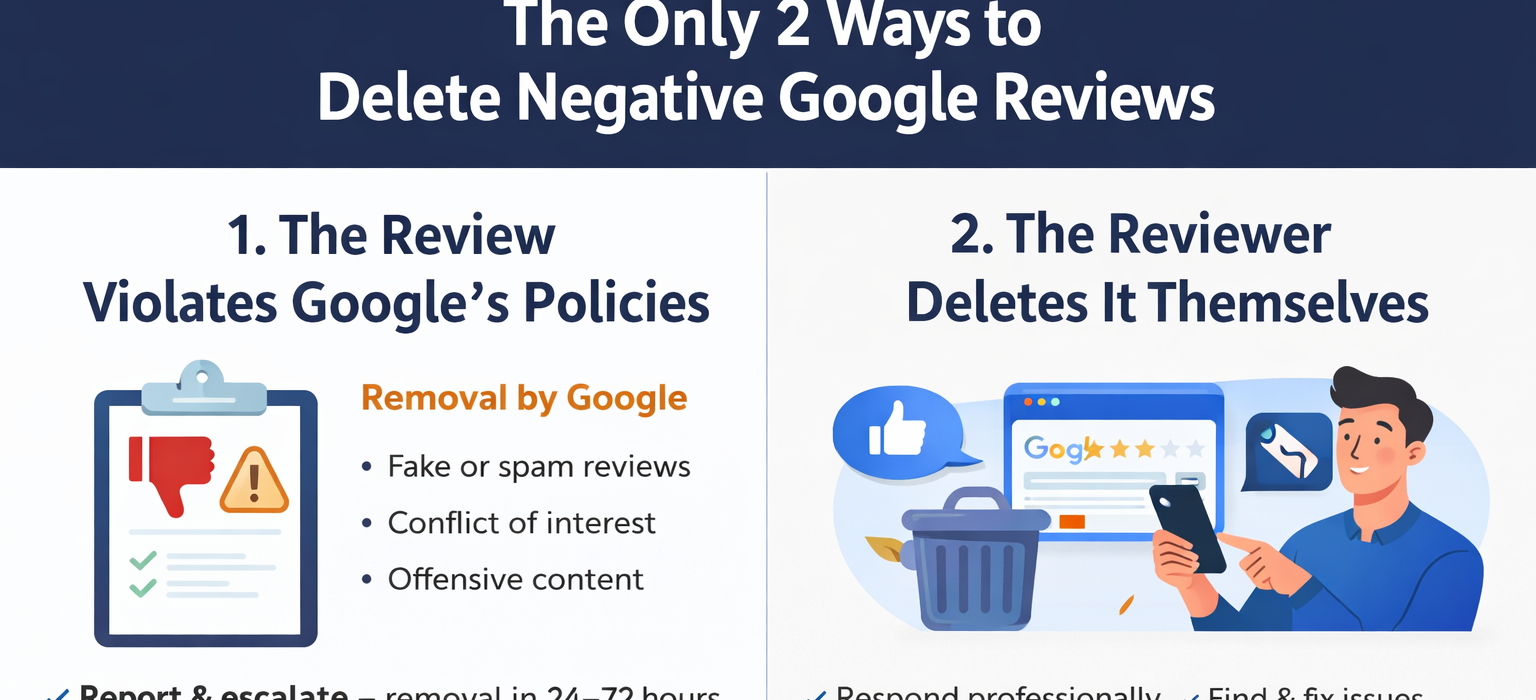
👉 There are only two legitimate ways to delete a Google review.
No hacks. No shortcuts. No hidden methods.
1. Report the Review (If It Violates Google Policies)
This is the main and most effective method for anyone asking about deleting a Google review.
Google will only remove a review if it violates its official content policies. If the review follows the rules — even if it is negative — it will remain visible.
Common Policy Violations:
- Fake reviews (not from real customers)
- Spam or promotional content
- Conflict of interest (competitors or employees)
- Offensive, abusive, or inappropriate language
- Irrelevant content unrelated to your business
How to Remove a Review Through Google:
- Locate the review on your Google Business Profile
- Click “Report review”
- Select the correct violation category
- Submit your request
👉 If reported correctly, removal can happen within 24–72 hours.
👉 If reported incorrectly, the request is usually ignored.
2. Ask the Reviewer to Delete It
The second method is simple:
The person who posted the review can edit or delete it at any time. Wondering how do I delete a Google review if I’m not the reviewer? You can politely ask the reviewer to remove it for you.
Best Approach:
- Respond professionally and calmly
- Address the issue clearly
- Offer a solution if possible
- Move the conversation offline
👉 When handled properly, many users will:
- Update their review
- Or remove it completely by following the process for deleting a Google review.
What Does NOT Work
There are many myths about deleting Google reviews. In fact, wondering how do you remove a Google review leads many to believe false promises, but here’s the truth:
❌ You cannot pay Google to remove reviews
❌ You cannot erase reviews directly from your account
❌ You cannot remove reviews just because they are negative
If the review follows Google’s guidelines, it will stay.
Final Truth About Google Review Removal
Removing reviews comes down to one simple rule. People frequently ask how do I delete a Google review, but it only happens when there is a violation or the reviewer decides to take it down themselves.
👉 Policy violation = removable
👉 No violation = stays (unless the user deletes it)
Everything else is strategy, accuracy, and proper execution if you want to know how do I delete a Google review.
Pro Tip for Faster Results
The fastest removals happen when you:
- Identify the exact policy violation
- Submit a precise and structured report
- Follow up with proper escalation if needed
That’s why some reviews are removed within 24 hours, while others remain online indefinitely. For anyone searching to remove a review, following this pro tip can save time.
Need Help Managing Reviews?
Handling review removal properly requires experience and attention to detail. A small mistake can lead to rejection when you attempt to delete a Google review.
If you want to protect your reputation and handle harmful reviews effectively, getting professional support can make a significant difference for those wondering about deleting a Google review.